September 10, 2026

Business disruptions are inevitable. They may come from cyberattacks, hardware failures, natural disasters, power outages, supply chain interruptions, or even human error. What separates resilient organizations from those that struggle is not whether they experience disruptions—it's how prepared they are when they happen.
Two terms are frequently mentioned in these conversations: Business Continuity (BC) and Disaster Recovery (DR). Although they're often used interchangeably, they are not the same. Each serves a distinct purpose, involves different stakeholders, and activates at different stages of an incident.
A disaster recovery plan can restore servers and applications, but it won't tell customer service how to support clients during an outage or explain where employees should work if the office becomes inaccessible. Likewise, a business continuity plan can coordinate people and processes, but without an effective disaster recovery strategy, critical systems may remain unavailable for days.
The strongest organizations don't choose one over the other—they integrate both into a single resilience strategy.
This guide explains:
Whether you're creating your first continuity program or reviewing an existing one, understanding these concepts will help you reduce downtime, improve decision-making, and recover faster from unexpected events.
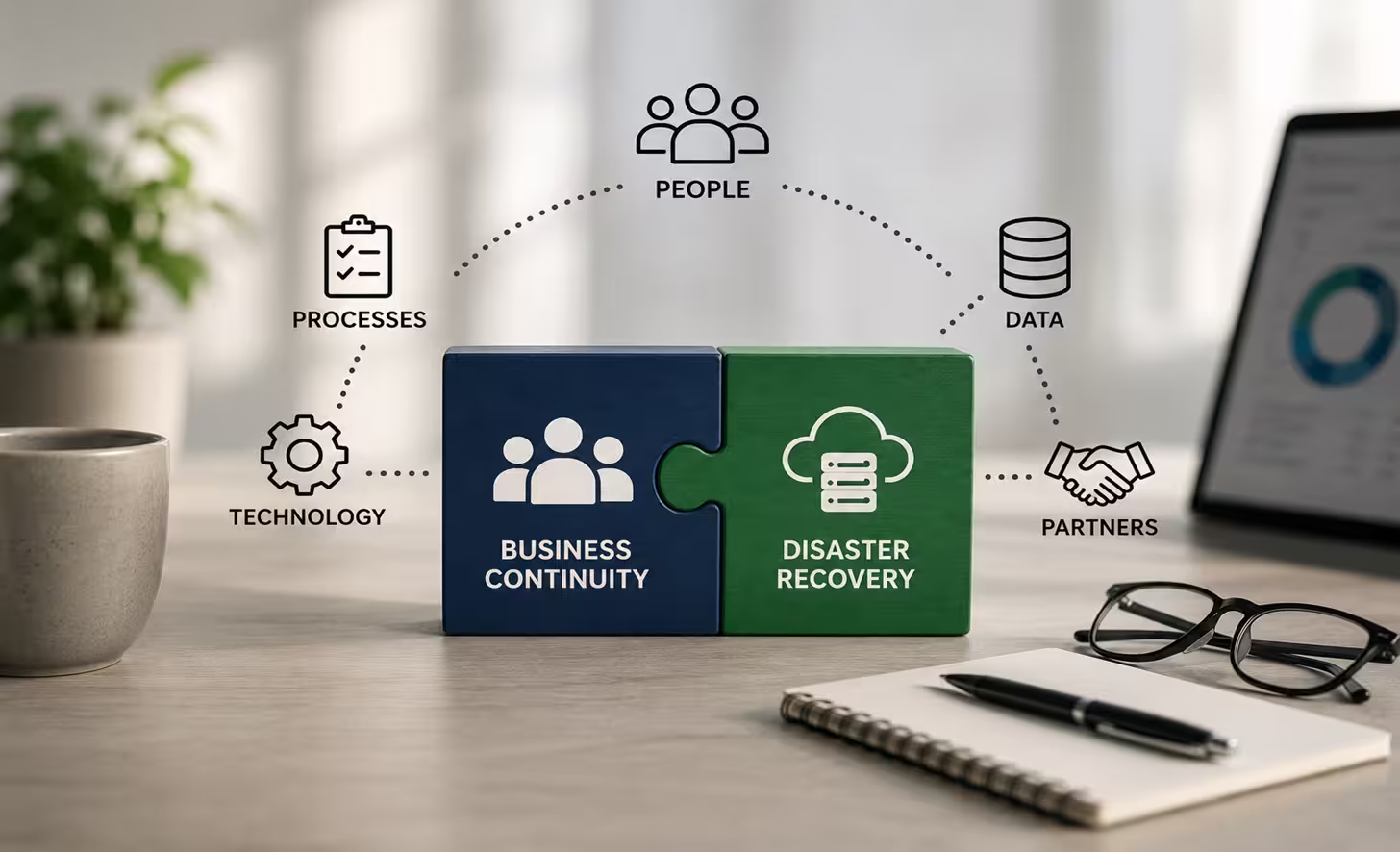
Although both disciplines aim to reduce the impact of disruptions, they solve different problems.
A simple way to remember the difference is:
Business Continuity answers:
"How can we continue operating today?"
Disaster Recovery answers:
"How do we restore our technology safely and quickly?"
Neither discipline replaces the other. Together, they form the foundation of organizational resilience.
Imagine a manufacturing company experiences a ransomware attack early Monday morning.
Employees cannot access production software.
Inventory systems are unavailable.
Customer service cannot retrieve orders.
Accounting loses access to financial records.
Without a Business Continuity Plan, every department waits for IT to fix the systems. Communication becomes inconsistent, customers receive conflicting information, and productivity grinds to a halt almost immediately.
Now imagine the organization has a detailed Business Continuity Plan but no Disaster Recovery Plan.
Employees know their responsibilities.
Leadership communicates effectively.
Alternative manual procedures begin.
Customers receive updates.
However, the company's systems remain unavailable because no documented recovery procedures exist for restoring servers or recovering data.
Both situations create unnecessary downtime.
Organizations recover most effectively when Business Continuity and Disaster Recovery operate together.
Business Continuity protects the business.
Disaster Recovery restores the technology.
Neither can achieve organizational resilience on its own.

Business Continuity is the organization's ability to continue delivering critical products or services during and immediately after a disruption.
Rather than focusing only on technology, Business Continuity addresses the broader question:
How can the organization continue operating when normal conditions no longer exist?
A disruption may involve:
Regardless of the cause, the objective remains the same:
Maintain essential operations while minimizing financial, operational, legal, and reputational damage.
A mature Business Continuity Plan typically contains several interconnected components.
Every continuity program begins with understanding what matters most.
A Business Impact Analysis identifies:
Without a BIA, organizations often invest recovery resources in systems that are important - but not critical.
For example:
A payroll application may require restoration within 4 hours to ensure employees are paid accurately.
An internal reporting dashboard may tolerate two days of downtime with relatively little operational impact.
These priorities should be determined by business leaders rather than technical assumptions.
The BIA establishes measurable recovery targets that guide planning.
These include:
We'll explore both concepts in detail later because they influence every recovery decision.
Continuity planning also defines how decisions are made during emergencies.
Typical questions include:
Clear responsibilities reduce confusion when every minute matters.
Communication failures often cause more disruption than technical failures.
A continuity plan should define:
Many organizations maintain offline copies of their contact lists because cloud-based communication platforms may be unavailable during outages.
If offices become inaccessible, employees still need a way to work.
Business Continuity planning may include:
These options should be tested before an emergency rather than assumed to work.
Modern organizations depend heavily on vendors.
A disruption affecting a key supplier can quickly become your own operational crisis.
Business Continuity planning should identify:
Organizations that understand supplier dependencies generally recover more quickly than those discovering them during an emergency.

Successful continuity programs share several characteristics.
They are:
One common misconception is that creating a Business Continuity Plan completes the work.
In reality, the document is only the starting point.
Organizations become resilient through continuous improvement, regular exercises, and periodic reviews-not by storing a plan on a shared drive.
While Business Continuity protects the organization as a whole, Disaster Recovery focuses on one critical area:
Technology recovery.
Disaster Recovery is the documented process for restoring IT infrastructure after an incident.
Its purpose is to return systems, applications, networks, and data to an operational state within acceptable recovery objectives.
Unlike Business Continuity, Disaster Recovery is highly technical.
Typical recovery activities include:
The objective is not simply to turn systems back on.
The objective is to restore reliable, secure, and usable technology that supports business operations.

A Disaster Recovery Plan typically documents:
The plan should provide sufficient detail for trained personnel to execute recovery efficiently, even under stressful conditions.
Well-designed plans use step-by-step runbooks rather than broad recommendations, reducing guesswork during an actual incident.
Many organizations mistakenly believe that having backups means they have Disaster Recovery.
Backups are only one component.
A complete Disaster Recovery capability also requires:
A backup that has never been tested is simply an assumption that recovery will work.
Organizations should routinely verify that backup data can be restored within their required Recovery Time and Recovery Point Objectives.
Doing so often uncovers issues—such as incomplete backups, outdated credentials, or missing dependencies - before they become costly during a real emergency.
Before deciding how to recover systems or maintain operations, you need to understand what is most important to the business. That is the purpose of a Business Impact Analysis (BIA).
A Business Impact Analysis identifies:
Think of the BIA as the blueprint for both Business Continuity and Disaster Recovery. Without it, recovery priorities are based on assumptions rather than business needs.
An effective Business Impact Analysis helps leadership answer questions such as:
The answers determine where recovery resources should be invested.
Notice that not every system deserves the same recovery priority. Restoring low-impact systems before revenue-generating services is wasted.
.avif)
Recovery Time Objective (RTO) defines how quickly a service must be restored after an outage before the impact becomes unacceptable.
It answers one question:
How long can this system be unavailable?
For example:
These values are business decisions—not IT decisions.
Setting unrealistic RTOs often leads to unnecessary infrastructure spending, while setting them too high can expose the organization to significant financial loss.
Imagine an online retailer experiences a server failure at 9:00 AM.
If its online store has a one-hour RTO, the recovery process must restore ordering capability before 10:00 AM.
Missing that objective may result in lost revenue, dissatisfied customers, and contractual penalties.
Recovery Point Objective (RPO) specifies the amount of data the organization is willing to lose.
Instead of focusing on downtime, RPO focuses on data loss.
For example:
An RPO of one hour means the organization accepts losing up to one hour of data.
If backups occur every hour and a failure happens at 10:45 AM after the last successful backup at 10:00 AM, approximately 45 minutes of transactions may be lost.
That falls within the acceptable recovery objective.
If the organization can tolerate only 5 minutes of data loss, hourly backups are insufficient. More frequent backups, continuous replication, or synchronous replication may be required.
Many people confuse these two recovery objectives.
The easiest way to distinguish them is:
A financial services company defines:
This means:
Meeting these objectives requires both technical investment and operational planning.
Not every organization requires the same recovery solution.

The best recovery strategy depends on:
Below are the most common Disaster Recovery approaches.
This is the simplest and least expensive strategy.
Data is copied to secure storage and restored after a failure.
Best suited for:
A minimal production environment continuously runs in the cloud.
Critical infrastructure already exists, but additional resources are started only during a disaster.
Best suited for:
A reduced-capacity production environment remains operational at all times.
During an outage, additional computing resources are added until full production capacity is restored.
Warm standby is commonly selected by organizations with moderate recovery objectives.
The primary environment handles production traffic while a secondary environment remains ready but inactive.
If the primary site fails, operations switch to the secondary environment.
Two fully operational production environments process live workloads simultaneously.
If one environment becomes unavailable, the remaining site continues serving users with minimal interruption.
Organizations supporting financial transactions, healthcare services, or global online platforms often adopt this strategy because downtime can have significant business consequences.
Selecting the most expensive option is not always the right choice. The objective is to align recovery capability with business requirements established during the Business Impact Analysis.
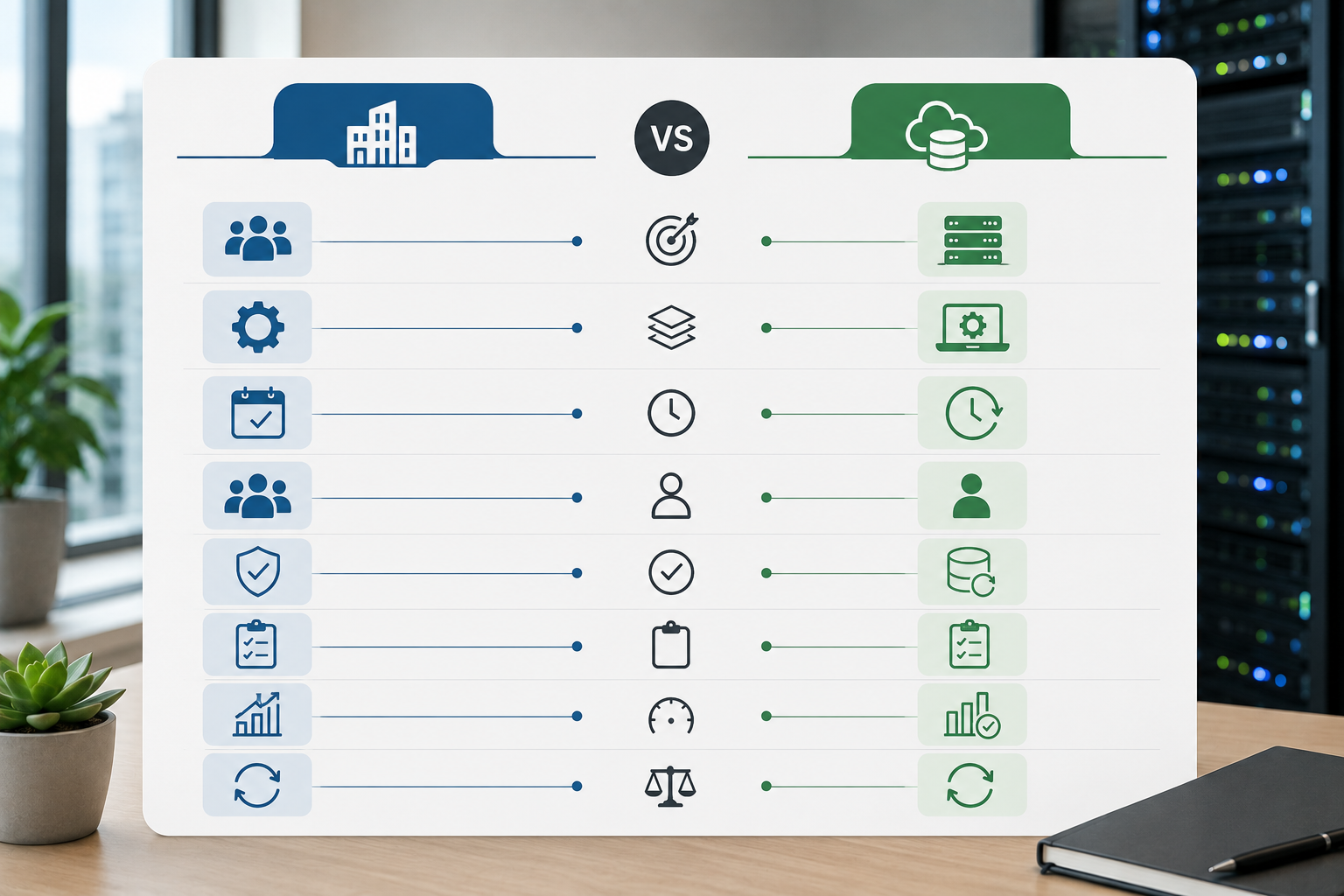
Although BC and DR support the same organizational goal, they differ in several important ways.
Rather than competing, these disciplines complement one another.
Business Continuity manages the organization, while Disaster Recovery restores the technology that supports it.
Understanding when each plan is activated helps eliminate confusion during a crisis.
A ransomware attack encrypts multiple production servers.
Business Continuity begins immediately.
Employees are notified.
The incident response team assembles.
Critical departments activate manual procedures.
Customers receive an initial communication acknowledging service disruption.
IT determines:
At this stage, Disaster Recovery planning begins.
Recovery teams restore systems according to pre-defined priorities.
The payment platform is restored first.
Customer databases follow.
Internal reporting systems remain offline because they have a lower business priority.
Meanwhile, Business Continuity teams continue supporting customers using documented manual procedures.
Revenue-generating systems become operational.
Most customers resume normal activity.
The Business Continuity team gradually transitions departments back to standard operating procedures.
Recovery teams:
The incident concludes only after operational lessons have been documented and continuity plans updated.
A recovery plan that has never been tested cannot be considered reliable.
Organizations frequently discover hidden issues only during exercises, including:
Regular testing transforms a written plan into an operational capability.
A mature testing program includes:
Every exercise should result in documented improvements, updated procedures, and assigned follow-up actions.
A recovery plan should evolve alongside the organization—not remain unchanged for years.
The following example illustrates how Business Continuity (BC) and Disaster Recovery (DR) complement each other during a real-world incident.
A mid-sized e-commerce company employing 350 people relies on cloud-hosted applications for order processing, inventory management, customer support, and payment processing.
At 7:45 AM on a Tuesday, employees begin reporting that they cannot access internal systems. Shortly afterward, the IT security team discovers ransomware has encrypted several production servers.
Within minutes, the Business Continuity Team initiates the organization's incident management process.
Actions include:
At this stage, the priority is maintaining essential business functions—not restoring technology.
Meanwhile, the IT team evaluates:
The Disaster Recovery Plan specifies the recovery order:
Because this sequence was documented in advance, no time is lost debating priorities during the emergency.
Using immutable cloud backups, engineers begin restoring critical systems.
After validation:
Throughout the recovery process, Business Continuity procedures allow customer support, logistics, and executive leadership to continue operating with temporary workarounds.
Following the incident, the organization conducts an after-action review.
The review identifies several improvements:
The organization emerges better prepared for future disruptions because every exercise becomes an opportunity to strengthen resilience.
Even organizations with documented plans can struggle during an actual disruption. The following mistakes appear consistently across continuity programs.

Business Continuity and Disaster Recovery support the same objective but address different challenges.
A Disaster Recovery Plan may restore technology, but it does not explain how departments should continue operating while systems are unavailable.
Likewise, a Business Continuity Plan without Disaster Recovery cannot restore applications or recover data.
Both plans should work together under a unified resilience strategy.
Organizations sometimes purchase backup technology before identifying business priorities.
Without a Business Impact Analysis, recovery objectives are often based on assumptions rather than operational requirements.
Always determine:
Technology should support business priorities—not define them.
Many organizations assume their recovery procedures will work because backups exist.
Testing frequently reveals issues such as:
A plan that has never been exercised remains an unverified assumption.
Technology failures rarely become organizational disasters on their own.
Confusion does.
Employees need to understand:
People should not be reading the plan for the first time during an emergency.
Organizations evolve constantly.
Applications are replaced.
Departments change.
Cloud environments expand.
Key personnel move on.
A two-year-old continuity plan may no longer reflect reality.
Review both Business Continuity and Disaster Recovery documentation after:
Organizations starting from scratch can follow a structured approach.
Determine which activities generate revenue, meet legal obligations, or directly support customers.
Focus on business outcomes—not technology.
Document:
The BIA becomes the foundation for every recovery decision.
Establish Recovery Time Objectives (RTOs) and Recovery Point Objectives (RPOs) for every critical function.
These targets should be approved by business leadership rather than determined solely by technical teams.
Choose recovery methods that realistically achieve your objectives.
Examples include:
Higher availability generally requires greater investment. Select the approach that matches your business risk rather than pursuing the most complex solution.
Document:
These procedures should be practical and easy to follow under pressure.
Technical documentation should include:
Avoid vague instructions. Recovery teams should know exactly what to do.
Testing should become part of normal operations rather than an occasional compliance exercise.
A balanced testing program includes:
Continuous improvement is the hallmark of mature resilience programs.
Use the following checklist to assess your organization's readiness.

If several items remain incomplete, those areas represent opportunities to improve organizational resilience before an actual disruption occurs.
Business Continuity focuses on keeping business operations functioning during a disruption. Disaster Recovery focuses specifically on restoring technology systems, applications, and data after an incident. Disaster Recovery is one component of a broader Business Continuity strategy.
Yes. Smaller organizations often have fewer resources and less redundancy, making them more vulnerable to prolonged disruptions. Even a simple continuity plan can reduce downtime, improve communication, and clarify responsibilities during an incident.
At a minimum, organizations should review plans annually and conduct technical recovery testing at least twice each year. Additional testing should occur after significant infrastructure changes, mergers, major software deployments, or organizational restructuring.
Business Continuity is a cross-functional responsibility typically sponsored by executive leadership or risk management. Individual departments own their specific continuity procedures, while IT generally owns Disaster Recovery activities.
No.
Cloud providers supply highly available infrastructure, but customers remain responsible for protecting their own applications, configurations, identities, and data. A comprehensive Disaster Recovery strategy is still required, even in cloud environments.
When publishing this article, replace placeholders with complete citations and links to the original documents.
Recommended references include:
Avoid using unattributed statistics. If you cite research from Gartner, IDC, FEMA, or other organizations, include the publication title and publication year so readers can verify the information.
Business disruptions cannot always be prevented, but their impact can be significantly reduced through preparation.
Business Continuity ensures that people, processes, and communications continue functioning when normal operations are interrupted. Disaster Recovery restores the technology that enables those operations to return to full capacity.
Neither discipline is sufficient on its own. Together, they create a coordinated strategy that helps organizations protect customers, employees, revenue, and reputation during unexpected events.
The most resilient organizations do not treat continuity planning as a one-time project. They review their Business Impact Analysis regularly, update recovery objectives as business priorities evolve, test their plans under realistic conditions, and improve them after every exercise or incident.
Whether your organization has 10 employees or 10,000, investing time in Business Continuity and Disaster Recovery today can dramatically reduce the operational and financial consequences of tomorrow's disruption.1